


Music Video Downloader - Vidow
3.9115.00 Reviews
App Specs
- Version
- 1.3.49
- Updated On
- License
- Free
- Downloads
- 10,000,000+
- Developer
- Vidow™
- Categories
- Video Players & Editors
- Platform
- Android
Screenshots
 Analysis by AppCompare
I tend to judge a media app by whether it makes one small task easier without turning it into a project. Music Video Downloader - Vidow is aimed at people who want to keep video or audio for offline listening, rather than edit footage or build a polished music video from scratch. That distinction matters: it can fit into a creator’s preparation workflow, but it is a downloader, not a video-editing suite.
Vidow is a free app from Vidow™ in the video player and editing category, with optional in-app purchases. It has a 4.1 average from around 379,000 ratings and more than 10 million installs, so it has reached a broad audience. I would treat that popularity as a reason to consider it, not as proof that every source, search, or download will work the same way for everyone.
Starting with a song or reference clip
The most natural use is straightforward: I have a track or video in mind, search for it, and choose a result to save. That can be useful before a commute, while preparing a playlist for a place with unreliable reception, or when I want to review a reference clip away from a strong connection. The app is rated for Everyone, and its current version is 1.3.49; it requires Android 7.0 or later.
For creative work, I see it as a gathering step rather than the place where the creative work happens. A small business owner might want a permitted audio reference ready before planning a short social post, while a hobbyist could save a video to study its pacing later. In either case, I’d first check that I have the right to download and reuse the material. Being able to save something does not grant permission to publish it or use its music in a project.
A useful habit is to search with enough detail to distinguish versions: include the artist or a memorable phrase from the title, then inspect the available results before choosing. This matters when a song has live, acoustic, or remixed versions; a close title match is not necessarily the recording you wanted. If I’m collecting references for a project, I’d also note the source and intended use outside the download list, so an offline file does not become an untraceable asset later.
The Downloading Experience
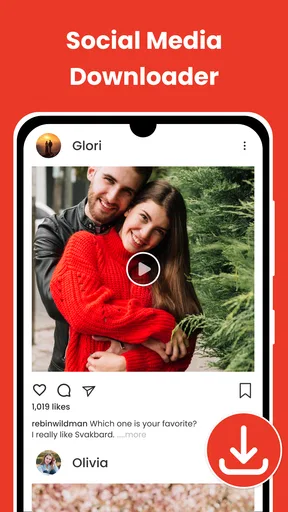
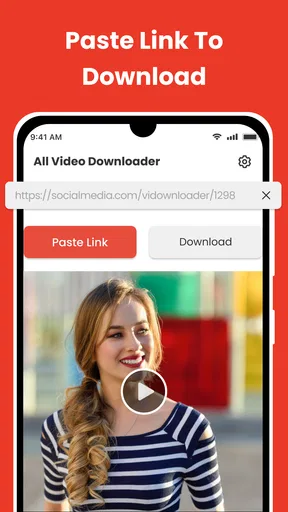
First off, the user interface is pretty intuitive. When you open the app, you're greeted with a clean and simple layout, making it super easy to navigate. You don’t need to be a tech wizard to figure out how to use it. Just type in the name of the song or artist in the search bar, and voilà! You’re presented with a variety of video options to choose from.
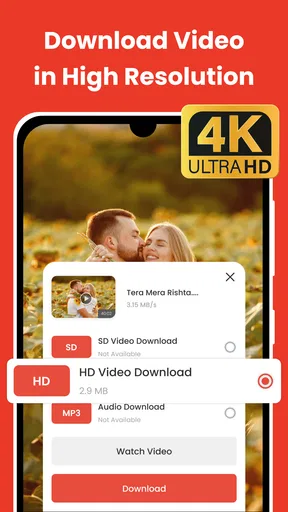
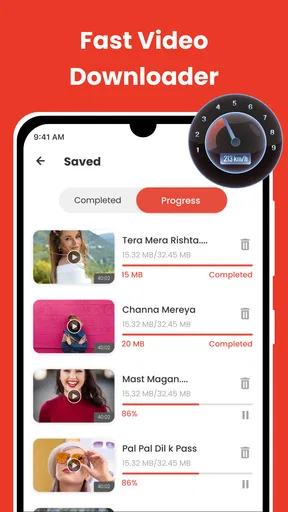
One cool feature of Vidow is the option to download in different formats. Whether you want just the audio or the full video, the app has you covered. I found this particularly useful when my phone storage was running low, and I needed to save on space. The download speeds are also pretty impressive – I was able to download a full song in under a minute. Pretty neat, right?
Worth Reading Before You Choose

Baby Panda World Brings Quick Play to Modern Phones, but Its Game Library Feels Busy

ESPN’s Live Game View Makes Following Close Games Easier

QuizzLand Review: A Good Fit for Short Trivia Breaks, Not Every Player

Basketball Stars: Multiplayer Is Fast, but Can It Recover When Matches Go Wrong?

WEBTOON Turns Phone Updates Into a Better Reading Routine

Link to Windows Runs on Shared Habits, Not Social Feeds
Choosing what to keep and how to use it
The audio-versus-video choice is more than a convenience; it changes how much space a collection can consume and how easy it is to use on the move. If I only need a track as a listening reference, audio is the practical choice. If I need to study framing, cuts, or performance, keeping the video makes sense. I would avoid saving both versions automatically: that can duplicate material and make a phone’s media collection harder to manage.
For a realistic everyday example, imagine I’m heading out to help film a community event and want a few reference clips ready during a travel gap. I can search at home, choose the relevant video quality, and download only the clips I actually plan to review. On the day, I can revisit those references without depending on a stable connection. The trade-off is that a reference library can grow quickly, so I’d clear out files once a project is finished rather than treating every download as permanent.
Search results also deserve a quick second look before tapping download. Similar names, alternate edits, and mismatched versions can waste time and storage. I find it sensible to confirm the title and preview the result when possible, especially if I’m preparing material for a specific brief. This small check is more useful than downloading several candidates and sorting them out later.
Quality and Variety
Now, let’s talk about quality. I was pleasantly surprised by the high-quality output. The audio clarity is top-notch, and the video resolution options range from 360p to 1080p, catering to both low and high data users. It’s like having a mini YouTube downloader in your pocket, without the hassle of buffering or ads.
Another thing I loved was the variety of platforms supported. From YouTube to Vimeo, and even some lesser-known sites, Vidow seems to have its tentacles everywhere. So, if you’re into discovering new music from different corners of the internet, this app is your best friend.
In practice, I’d treat the quality choice as a decision about the job, not a contest to always select the largest file. A lower-resolution copy can be enough for checking timing or remembering a visual idea on a phone, while a clearer version is more useful when small details matter. If storage is tight, downloading only the portion or format I truly need is a better strategy than collecting high-quality copies by default.
There is a trade-off compared with ordinary streaming. Streaming services are usually more convenient for finding and playing licensed music within their own libraries, while a downloader can be more useful when I specifically need an offline file for personal reference and the source allows it. For editing, a dedicated editor is still the better tool: it provides the workspace for trimming, arranging, adding titles, and exporting a finished piece. I wouldn’t choose Vidow expecting those production controls.
Usability and Design
Now, on to the app’s design and usability. The developers have clearly put a lot of thought into the user experience. The app runs smoothly without any noticeable lags. Plus, it doesn’t bombard you with annoying ads every two seconds, which is a huge plus in my book. Also, the dark mode feature is a blessing for night-time browsing, saving both your eyes and battery life.
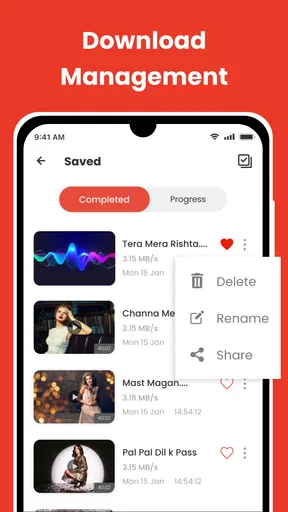
There’s also a handy download manager that keeps all your downloaded files organized. You can easily access your music and videos without having to dig through your phone’s file manager. It’s the little things like this that make the app stand out.
That manager is most helpful when downloads are occasional and I want to get back to a file quickly. For a larger reference collection, I’d still use a simple naming or note-taking routine: grouping files by project or keeping a short list of why I saved each one makes later handoff less confusing. The app’s organization can make downloads easier to find, but it does not replace a creator’s own asset-tracking process.
One practical question is whether the app suits a phone with limited free space. It can, provided I’m selective: audio is the leaner choice when visuals are unnecessary, and a lower video resolution can be enough for quick reference. The key is to check available storage before building a library and remove files that have served their purpose. If I need a long-term archive or shared project folder, I’d use a dedicated storage workflow instead of relying on a downloader as my only backup.
Vidow is free to install, with in-app purchases listed from $4.99 to $39.99 per item. I’d start with the free experience and decide whether any paid option addresses a need I actually have rather than assuming an upgrade is essential. The app is not the right fit if my main goal is editing a finished video, managing a collaborative production, or browsing a licensed music catalog with guaranteed availability; those jobs call for tools designed around editing, teamwork, or streaming.
Who will get the most from it
I’d recommend it most to someone who already knows what they want to save and values having an offline copy for personal listening or reference. It can also help a creator who needs a lightweight way to collect permitted source material before moving into an editor. It is less compelling for someone who mainly listens through a streaming subscription, rarely loses internet access, or expects a downloader to provide the complete workflow from discovery to publishing.
Before using a saved track in a public post, I’d check the relevant rights and platform rules. This is an easy point to overlook when a file is sitting on the phone and ready to play. Keeping something offline for personal use and incorporating it into a published video are different decisions; the convenience of the first should not be mistaken for clearance on the second.
Final Thoughts
Overall, Music Video Downloader - Vidow has impressed me with its functionality and ease of use. It’s a must-have app for anyone who loves collecting music videos and tracks for offline enjoyment. Whether you're a casual listener or a music hoarder, this app will make your life so much easier.
While there are a few minor areas for improvement, like adding more customization options, the app delivers on its promises. It’s reliable, efficient, and, most importantly, free. So, if you’re in the market for a solid music video downloader, give Vidow a go. You won’t be disappointed!
My recommendation comes with one clear boundary: use it as a focused saving tool, not as an editor, a permanent archive, or a shortcut around usage rights. If that matches what you need, its simple search-and-download approach can be handy. If you want to shape clips, mix sound, or prepare a final export for an audience, save the material you are allowed to use and then move to a proper editing app.
Pros
- Easy to navigate interface.
- Fast download speeds.
- Supports multiple formats.
- No registration required.
- Ad-free experience.
Cons
- Limited editing features.
- No offline playback option.
- Occasional download errors.
- Not available on all devices.
- Requires stable internet connection.
FAQs for Music Video Downloader - Vidow
What features does Music Video Downloader - Vidow offer?
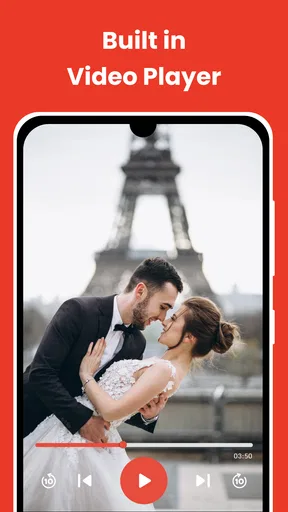
Music Video Downloader - Vidow provides a comprehensive suite of features, including the ability to download music videos in various resolutions, convert videos to audio formats, and create playlists. The app also supports batch downloads and has a built-in media player for offline enjoyment.
Is Music Video Downloader - Vidow free to use?
Music Video Downloader - Vidow offers a free version with basic features, but also provides a premium version. The premium version removes ads, offers faster download speeds, and unlocks additional features such as higher resolution downloads and unlimited playlist creation.
Is it legal to download videos using Music Video Downloader - Vidow?
The legality of downloading videos using Music Video Downloader - Vidow depends on the content's copyright status and usage terms. Users should ensure they have permission to download and use the videos, especially if they plan to distribute or use them commercially.
Does Music Video Downloader - Vidow support offline playback?
Yes, Music Video Downloader - Vidow supports offline playback. Once videos are downloaded, they can be accessed from the app’s library and played without an internet connection, making it convenient for users who want to enjoy content on the go.
What devices are compatible with Music Video Downloader - Vidow?
Music Video Downloader - Vidow is compatible with both Android and iOS devices. It requires Android version 5.0 or higher and iOS version 11.0 or later. The app is optimized for smartphones and tablets, ensuring seamless performance across different screen sizes.


